VRML Models from The Titanium Bone Project

By Reuben Reyes

The University of Texas at Austin

Aerospace Engineering and Engineering Mechanics


Below are several VRML models in various stages to produce a titanium bone implant.

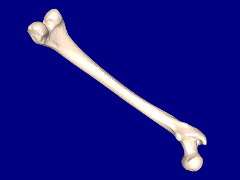
  Human femur.
  Click on image to view 3D model.

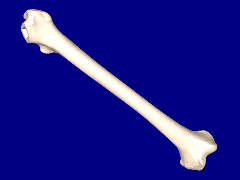
  Femur with ball section removed.
  Click on image to view 3D model.

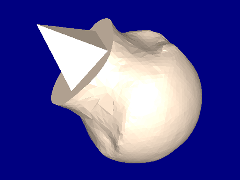
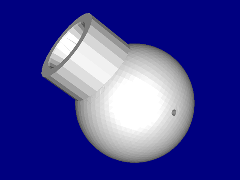
  Ball section of femur.
  Click on image to view 3D model.

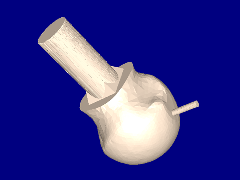
  Ball with locator peg and vent added.
  Click on image to view 3D model.

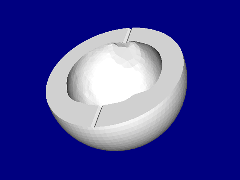
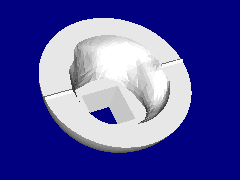
  Lower half of mold.
  Click on image to view 3D model.

  Upper half of mold.
  Click on image to view 3D model.


Final mold.
Click on image to view 3D model.


How to view VRML models?
You will need a VRML viewer or VRML client for your web browser in order to view VRML models, here are a few that are free.   For Windows use Cortona, Blaxxum, Octaga or Cosmo.   For Mac OS X use Cortona.   For SGI Irix use Cosmo and for Linux use Octaga.


 ParallelGraphics
Cortona

 Blaxxum
3D Viewer

 Cosmo
Player

 Octaga
Player


Research and webpage by Reuben Reyes, ORCID 0009-004-9456-5025
This page is a subset of Titanium Bone Implants.
Originally this page was hosted at https://webspace.utexas.edu/reyesr/titanium/3D_models.html but unfortunately is no longer avaliable.
The Wayback Machine has an archived link to 3D_models.html for your review.
Original publication year: 2005, VRML Models from The Titanium Bone Project of this page in PDF

Last update: Saturday, 20-Aug-2005 10:15:07 CDT
Email